Registering for Energy Generators

You have been invited to join Energy Generators 

Energy Generators uses adaptive multifactor authentication (MFA) to help keep your account secure. During registration, MFA is optional. You can set it up straight away or skip this step. If a higher-risk login is detected later, you may be asked to complete MFA.

Solar_600_iStock-1254060830

How to register

Starting the process

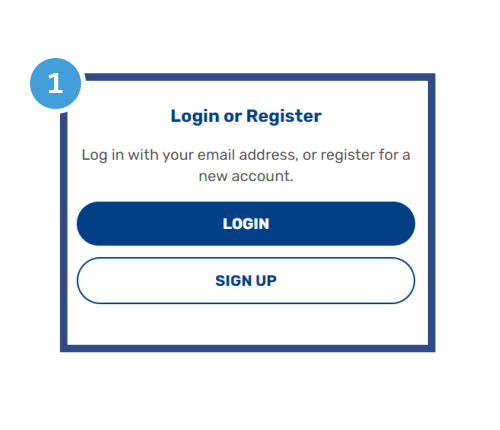
Showing the login and signup button of the login page

Head to the Energy Generators app and click on the Sign Up button.

If you already have an account with any of our applications, you can sign in using Single Sign-On (SSO) without needing to register again. 

Create an account
login-register-2a

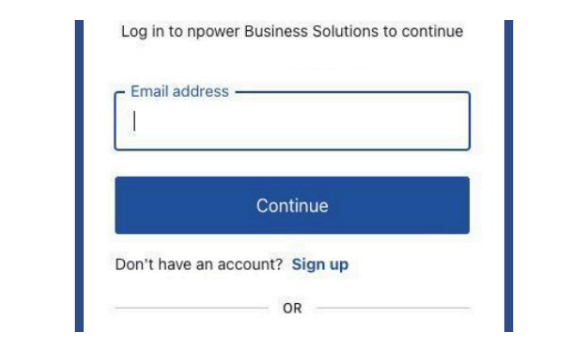
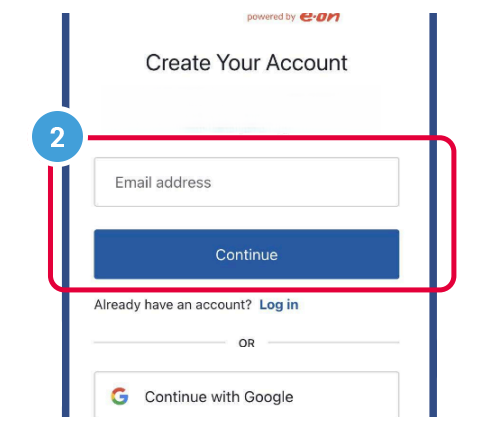
To create your account, enter your email into the Email Address field, then press Continue.

To register with an exisiting Google of Microsoft account follow the alternate option below.


Register your email
login-register-3

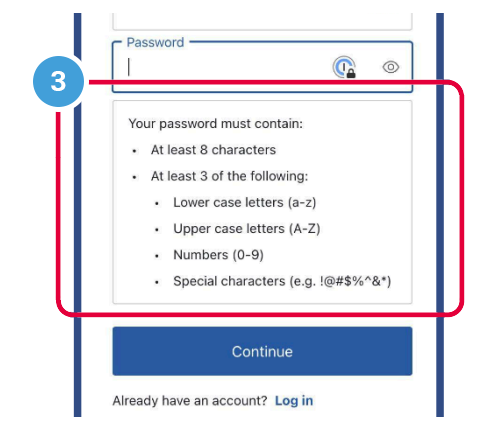
Next you will be asked to choose a new secure password following the guidance provided.

You will receive an email with a verification link. 

If you don't receive the email, check your junk folder and please try adding auth@npowerbusinesssolitions.com to your safe sender list.
Alternate login option

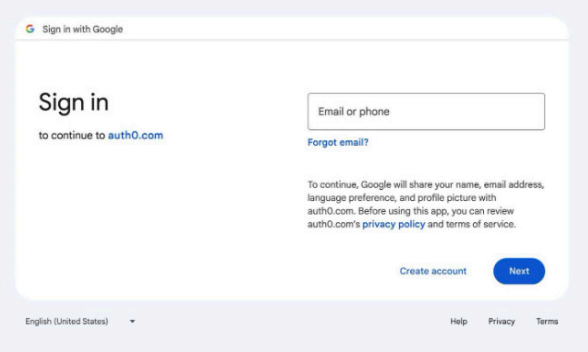
Register using Google or Microsoft option

To register with an existing Google or Microsoft account, select Continue with Google or Continue with Microsoft and this will take you to the login page for your Google or Microsoft account.

Please enter your usual details for this account to complete this step, allowing you to be redirected to the Security options

register using google

MFA Authentication

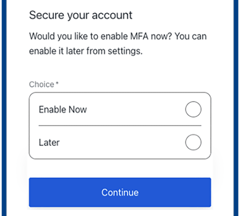
Optional security setup

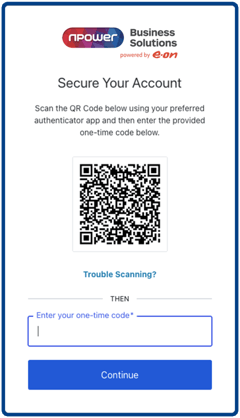
At this step, enable multi-factor authentication to setup an authenticator app (such as Google Authenticator or Microsoft Authenticator) or you can skip this step and enable additional security for your account later.

To secure your account with an authenticator app:

  • Install your chosen app on your mobile phone.
  • Open the app and scan the QR code shown on theSecure Your Account screen.
  • A six-digit code will appear in the app.
  • Enter this code into the Enter your one-timecode box and select Continue.
  • A recovery code will then appear.

Please save this in a safe place. It can be used to regain access if you lose your authenticator app.

If you registered using your email address, ensure you complete the email verification step if you have not already done so.

Faster login options (if supported)

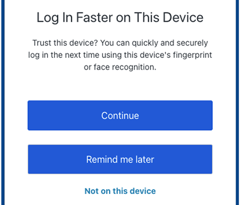
If your device supports facial recognition, fingerprint login, or a PIN, you may be offered the option to enable faster sign-in. Select Continue and follow the steps on your device.
This step is optional.

Logging in

If you registered using your email, enter your email and password on the welcome screen.

If you registered using Google or Microsoft, select the relevant option and sign in.

Depending on the login and risk level:
You may be asked to complete MFA using your authenticator app or security key.
If your device supports face, fingerprint, or PIN login and you enabled it, you may be signed in automatically using that method.

login-register-7

Resetting password

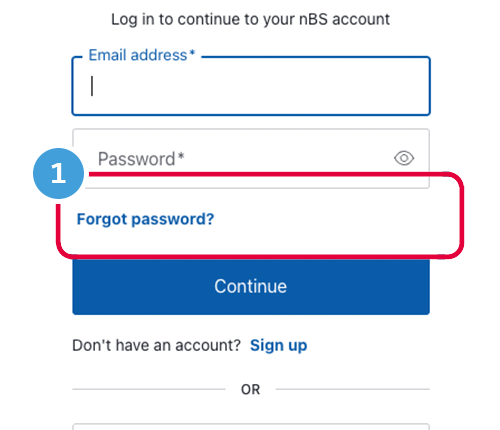
Select forgot password

login-register-4-1

On the Welcome screen, select Forgot password? and you will be taken to the Forgot your password? page.

Check if your email address is shown, if not enter your email address, select Continue.

Email confirmation
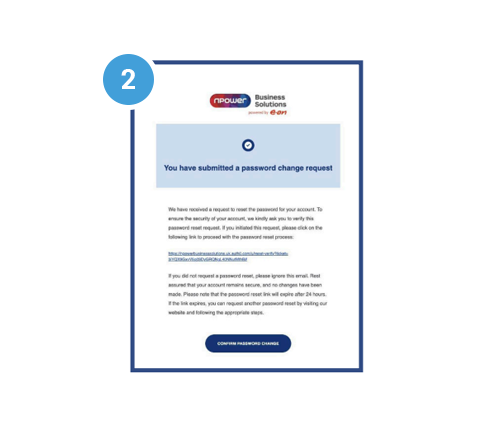
login-register-5-1

You will receive an email with password reset instructions. If you do not see it, check your junk or spam folder.

Open the email and either click the reset link, or select Confirm Password Change.


Enter new password
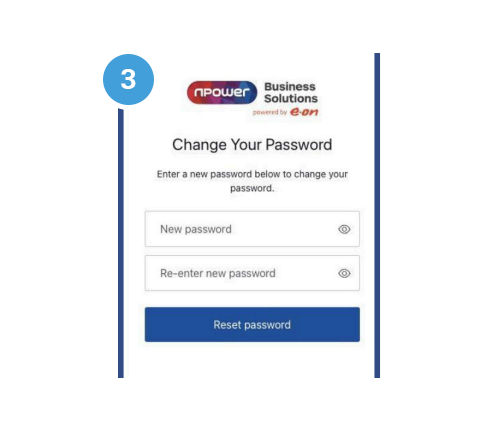
login-register-6

You will be taken to the Change Your Password page. Enter your new password, then enter it again to confirm.

Select Reset password.

You will see a confirmation screen then return to the Energy Generators app login page and sign in with your new password.

We’re open:

Monday, Tuesday, Thursday 9am-5 pm
Wednesday 9am-5pm
(Customer Services 9am-12.00pm)
Friday 9am-4.30pm
Excluding public holidays.

Request a callback

REQUEST A CALLBACK